
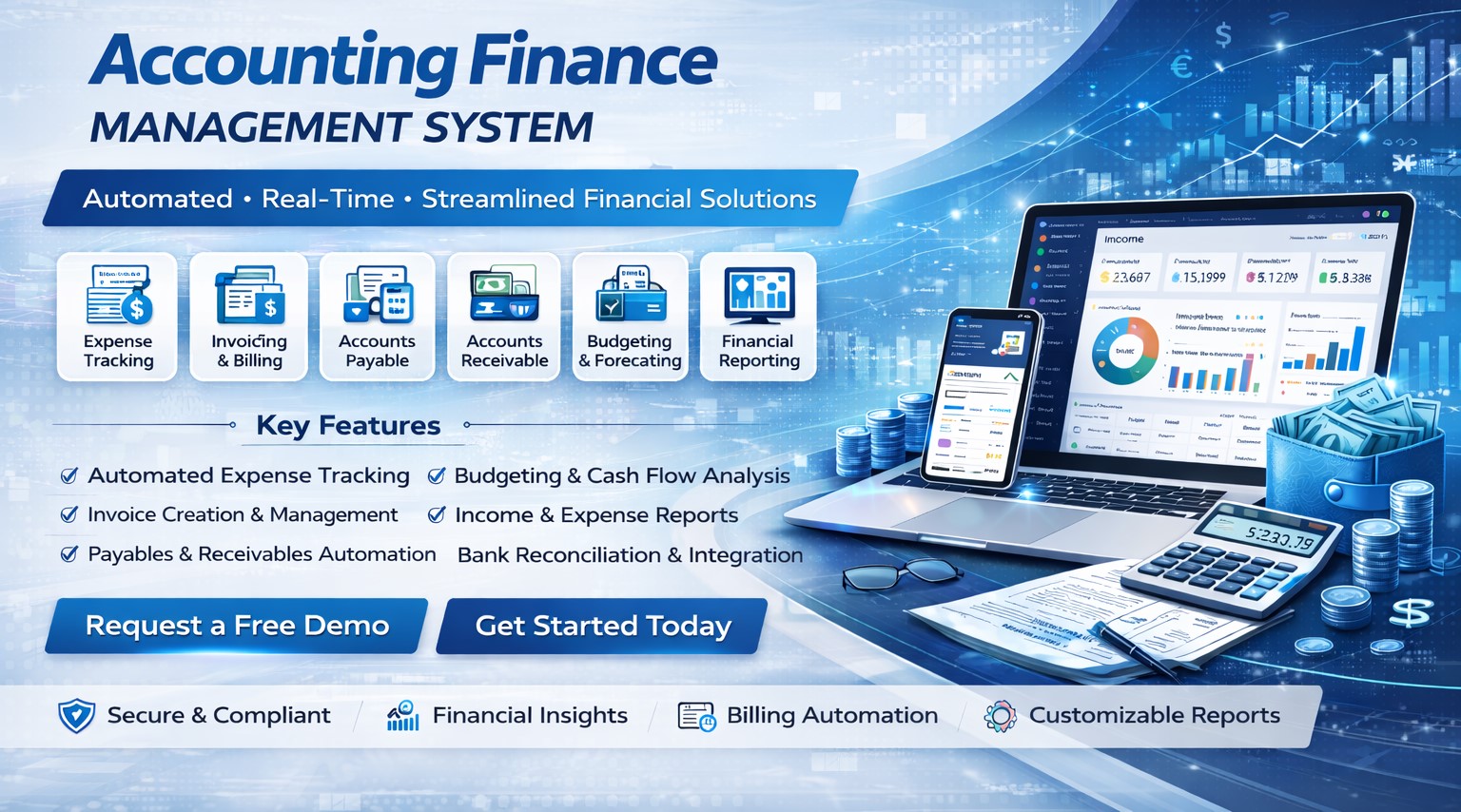
Manage your business finances with greater accuracy, transparency, and control using the Finance Management System by PK Softwares. Our finance management software helps businesses in Islamabad, Rawalpindi, and across Pakistan organize financial transactions, manage expenses, monitor income, track accounts, and generate detailed financial reports through a centralized platform.
Managing business finances manually can become complicated as transactions increase. Paper-based records, disconnected spreadsheets, delayed reporting, and manual calculations can make it difficult to understand your actual financial position. Therefore, businesses need a reliable financial management solution that simplifies accounting operations and provides better visibility into financial performance.
PK Softwares offers a comprehensive Finance Management System designed to support small businesses, medium-sized companies, and large enterprises. The system helps streamline everyday financial activities, improve record management, and provide useful financial information for better business decisions.
Whether you operate a retail business, trading company, distribution business, manufacturing organization, or service-based enterprise, our finance management solution helps you manage financial activities from one integrated system.
Take control of your business finances with intelligent financial management software from PK Softwares.
Call to Action:
-
Request a Free Software Demo
-
Get a Customized Finance Management Solution
-
Contact PK Softwares for Pricing
What Is a Finance Management System?
A Finance Management System is a software solution that helps businesses manage, organize, monitor, and analyze their financial activities through a centralized digital platform.
It provides tools for managing income, expenses, accounts payable, accounts receivable, budgets, cash flow, financial transactions, and accounting records. Furthermore, it helps organizations maintain structured financial information and generate reports that support business planning and decision-making.
Instead of depending entirely on manual accounting processes, businesses can use finance management software to record transactions, monitor financial activities, and access updated financial information.
For example, when a business receives customer payments, purchases inventory, pays suppliers, or records operational expenses, the system maintains corresponding financial records. Consequently, management can review transactions and understand how money moves throughout the organization.
PK Softwares Finance Management System is designed to simplify these activities while supporting different business sizes and operational requirements.
Why Businesses in Islamabad Need Finance Management Software
Islamabad has a growing business environment that includes retail companies, distributors, service providers, manufacturing businesses, construction companies, and corporate organizations.
As businesses expand, their financial activities also become more complex. Managing multiple accounts, tracking expenses, monitoring outstanding payments, and preparing financial statements manually can consume valuable time.
A modern financial management system helps businesses overcome these operational challenges.
Common Financial Management Challenges
Businesses frequently experience the following problems:
-
Manual Accounting: Recording transactions manually increases administrative work.
-
Unorganized Financial Records: Disconnected records make financial information difficult to access.
-
Expense Tracking Problems: Businesses may struggle to identify where money is being spent.
-
Delayed Financial Reports: Manual reporting can slow down management decisions.
-
Cash Flow Issues: Limited visibility into incoming and outgoing payments makes planning difficult.
-
Outstanding Payments: Tracking customer receivables and supplier payables becomes complicated.
-
Financial Errors: Repeated manual calculations increase the possibility of mistakes.
-
Limited Financial Visibility: Business owners may not have an updated picture of financial performance.
How PK Softwares Helps Solve These Problems
Our Finance Management System provides a centralized platform for organizing financial operations.
Businesses can record financial transactions, monitor income and expenses, review account balances, manage receivables, track payables, and generate financial reports.
As a result, management teams can access organized financial information and spend less time handling repetitive administrative tasks.
Key Features of PK Softwares Finance Management System
PK Softwares provides a range of financial management capabilities to help businesses improve their accounting processes and financial control.
The system can be configured according to business requirements, operational workflows, and organizational structures.
1. General Ledger Management
Manage financial transactions through a centralized general ledger.
The general ledger helps businesses maintain records of financial activities across different accounts. It provides an organized view of debit and credit transactions and supports financial reporting.
Key capabilities include:
-
General ledger account management.
-
Debit and credit transaction recording.
-
Account-wise transaction history.
-
Journal entries.
-
Ledger statements.
-
Account balance monitoring.
-
Financial transaction tracking.
2. Chart of Accounts Management
Organize financial accounts according to your business structure.
The chart of accounts helps categorize financial transactions into different account groups, making financial records easier to manage.
Common account categories include:
-
Assets.
-
Liabilities.
-
Equity.
-
Revenue.
-
Expenses.
-
Cost of goods sold.
Businesses can organize accounts according to their accounting policies and reporting requirements.
3. Accounts Receivable Management
Monitor money owed by customers and improve payment follow-ups.
The accounts receivable module helps businesses maintain customer payment records and identify outstanding invoices.
Features include:
-
Customer account management.
-
Customer invoices.
-
Payment recording.
-
Outstanding balance tracking.
-
Customer ledger statements.
-
Receivable aging reports.
-
Payment history.
This functionality helps businesses understand how much money customers owe and when payments are expected.
4. Accounts Payable Management
Manage supplier payments and monitor business liabilities.
The accounts payable module provides visibility into payments owed to suppliers, vendors, and service providers.
Features include:
-
Supplier account management.
-
Supplier invoices.
-
Payment vouchers.
-
Outstanding payable tracking.
-
Supplier ledger statements.
-
Payment history.
-
Payable aging reports.
Consequently, businesses can organize supplier obligations and plan payments more effectively.
5. Income and Expense Management
Monitor business income and operating expenses through structured financial records.
The system allows businesses to categorize income and expenses, record transactions, and review financial activities.
Income management includes:
-
Sales income.
-
Service revenue.
-
Other business income.
-
Customer receipts.
-
Additional revenue sources.
Expense management includes:
-
Office expenses.
-
Employee expenses.
-
Utility bills.
-
Transportation expenses.
-
Rent and maintenance.
-
Administrative expenses.
-
Operational costs.
This functionality helps business owners understand their income sources and identify major spending categories.
6. Cash and Bank Management
Maintain better control over cash transactions and bank accounts.
The cash and bank management functionality helps businesses record financial movements and monitor account balances.
Features include:
-
Cash account management.
-
Multiple bank account records.
-
Cash receipts.
-
Cash payments.
-
Bank deposits.
-
Bank withdrawals.
-
Bank transfer entries.
-
Bank reconciliation support.
-
Cash book reports.
With organized cash and bank records, businesses can review their available funds and monitor financial movements.
7. Budget Management
Plan business spending and monitor financial performance against approved budgets.
Budget management helps organizations establish financial targets for departments, projects, and operational activities.
Features include:
-
Annual budget planning.
-
Monthly budget allocation.
-
Department-wise budgets.
-
Expense budget monitoring.
-
Budget versus actual comparison.
-
Financial variance analysis.
This helps management identify overspending and make more informed financial decisions.
8. Financial Reporting and Analysis
Access organized financial reports to understand business performance.
Financial reporting is essential for monitoring income, expenses, assets, liabilities, and overall financial activities.
The system can provide reports such as:
-
Profit and Loss Statement.
-
Balance Sheet.
-
Cash Flow Statement.
-
General Ledger Report.
-
Trial Balance.
-
Cash Book.
-
Bank Book.
-
Customer Ledger.
-
Supplier Ledger.
-
Accounts Receivable Report.
-
Accounts Payable Report.
-
Income and Expense Report.
-
Budget Variance Report.
-
Financial Transaction Report.
These reports help management evaluate financial performance and prepare for future business requirements.
9. Journal Voucher Management
Record financial transactions that require journal entries.
Journal vouchers help accountants maintain adjustment entries and other financial records.
Common applications include:
-
Opening balance entries.
-
Depreciation entries.
-
Accrual entries.
-
Expense adjustments.
-
Revenue adjustments.
-
Correction entries.
-
Year-end adjustments.
10. Tax and Financial Record Management
Maintain organized tax-related financial information according to applicable business requirements.
Depending on configuration, the system can support:
-
Tax-related transaction recording.
-
Sales tax records.
-
Purchase tax records.
-
Tax account management.
-
Tax summaries.
-
Tax-related financial reports.
Tax calculations and reporting should be configured according to applicable Pakistani regulations and the business’s tax obligations.
11. Multi-User Access and Permissions
Allow authorized employees to work within the financial management system according to their responsibilities.
Different employees may require access to different financial modules.
For example:
-
Administrators can manage system settings.
-
Accountants can record and review transactions.
-
Finance managers can monitor financial reports.
-
Management can review business performance.
Role-based permissions help businesses control access to financial information.
12. Financial Dashboard
View important financial information through a centralized dashboard.
The dashboard can provide an overview of important financial indicators.
Examples include:
-
Total business income.
-
Total business expenses.
-
Current cash balance.
-
Bank account balances.
-
Outstanding customer payments.
-
Outstanding supplier payments.
-
Monthly revenue.
-
Monthly expenses.
-
Profit and loss summaries.
A well-organized dashboard helps management review important financial information without navigating multiple reports.
How Finance Management Software Works
A finance management system connects different financial activities through an organized transaction workflow.
When a financial transaction occurs, the relevant information is recorded in the system and reflected in the appropriate financial records.
Step 1 – Set Up Your Financial Accounts
Create the chart of accounts, financial categories, cash accounts, bank accounts, and other required financial records.
Step 2 – Record Financial Transactions
Record business income, expenses, payments, receipts, journal entries, and other financial activities.
Step 3 – Manage Receivables and Payables
Maintain customer and supplier records, monitor outstanding balances, and track payment activities.
Step 4 – Monitor Financial Activities
Use dashboards, ledgers, and financial summaries to review business transactions.
Step 5 – Generate Financial Reports
Generate financial statements and operational reports to understand financial performance.
Step 6 – Make Better Business Decisions
Use financial information to evaluate spending, plan budgets, manage cash flow, and improve financial control.
Benefits of Implementing a Finance Management System
Implementing finance management software can improve how businesses organize their financial operations.
Here are some important benefits.
Improved Financial Accuracy
Structured transaction recording and automated calculations can reduce repetitive manual work and help minimize accounting errors.
Better Cash Flow Visibility
Monitor incoming payments, outgoing expenses, and available account balances to improve cash flow planning.
Faster Financial Reporting
Generate financial statements and transaction reports without preparing every report manually.
Better Expense Control
Categorize business expenses and review spending patterns to identify unnecessary costs.
Organized Financial Records
Maintain centralized financial information instead of depending on scattered spreadsheets and paper records.
Improved Business Decisions
Access organized financial information to evaluate profitability, monitor performance, and plan business activities.
Increased Operational Efficiency
Reduce repetitive administrative tasks and allow finance teams to focus on financial analysis and planning.
Better Financial Transparency
Provide authorized users with access to relevant financial information according to their assigned responsibilities.
Who Can Use Finance Management Software?
PK Softwares Finance Management System can support businesses operating in different industries.
Retail Businesses
Retail stores can organize sales-related financial records, expenses, supplier payments, and daily financial activities.
Wholesale and Distribution Companies
Wholesalers and distributors can manage customer receivables, supplier payables, operating expenses, and financial reporting.
Manufacturing Companies
Manufacturing organizations can organize production-related expenses, operational costs, financial accounts, and business reporting.
Construction Companies
Construction businesses can monitor project expenses, supplier payments, operational costs, and financial transactions.
Service-Based Companies
Professional service providers can manage service revenue, employee expenses, customer payments, and business accounts.
Educational Institutions
Schools, colleges, and training institutes can organize fee-related financial records, operational expenses, and financial reporting.
Healthcare Organizations
Hospitals and clinics can manage financial records, operational expenses, payment information, and accounting activities.
Corporate Organizations
Large companies can organize financial operations across departments and business units through centralized financial management.
Finance Management System vs. Traditional Accounting
Traditional accounting methods often depend on manual calculations, spreadsheets, and separate financial records.
In contrast, finance management software provides a more structured approach to managing financial activities.
| Traditional Accounting | Finance Management Software |
|---|---|
| Manual transaction recording | Digital transaction recording |
| Separate financial spreadsheets | Centralized financial records |
| Manual report preparation | System-generated reports |
| Difficult expense monitoring | Organized expense tracking |
| Limited financial visibility | Centralized financial dashboard |
| Repetitive calculations | Automated calculations |
| Manual payment tracking | Organized receivable and payable records |
| Time-consuming record searches | Searchable transaction history |
The right system can help businesses improve financial organization while reducing the administrative effort associated with traditional accounting methods.
Why Choose PK Softwares for Finance Management Software in Islamabad?
Choosing the right software provider is an important decision for any business.
PK Softwares focuses on providing business software solutions designed to support different operational requirements.
Our Finance Management System aims to help businesses simplify financial activities, improve accounting organization, and access useful financial information.
Business-Focused Software Solutions
We focus on practical software capabilities that help businesses manage their daily financial operations.
Customizable Software Features
Financial workflows can be configured according to business requirements, accounting structures, and operational needs.
Solutions for Different Business Sizes
Our software solutions are intended to accommodate small businesses, medium-sized companies, and enterprise-level organizations.
Flexible Pricing Plans
We understand that every business has different financial and operational requirements. Therefore, we offer flexible pricing options according to software features, customization, and business needs.
Centralized Financial Management
Organize important financial information through a centralized platform.
Support for Business Growth
Choose a financial management solution that can be adapted as your business operations and reporting requirements evolve.
Local Business Understanding
Based in the Islamabad market, PK Softwares understands the operational requirements of businesses in Pakistan and aims to provide practical software solutions.
Finance Management System for Small, Medium, and Large Businesses
Every business has different financial management requirements. Therefore, financial software should provide suitable functionality according to business size and complexity.
Finance Management Software for Small Businesses
Small businesses need simple and organized financial management tools.
The system can help small businesses:
-
Record daily income and expenses.
-
Manage customer payments.
-
Track supplier balances.
-
Monitor cash and bank accounts.
-
Generate basic financial reports.
-
Maintain organized accounting records.
Finance Management Software for Medium-Sized Businesses
Growing businesses require more structured financial operations.
The system can support:
-
Multiple financial accounts.
-
Department-wise expense tracking.
-
Budget management.
-
Customer and supplier ledgers.
-
Financial reporting.
-
Cash flow monitoring.
-
Multi-user access.
Finance Management Software for Enterprises
Large organizations require broader financial visibility and structured financial workflows.
Depending on implementation requirements, the system can support:
-
Multi-branch financial management.
-
Department-based financial reporting.
-
Advanced account management.
-
Consolidated financial summaries.
-
Budget monitoring.
-
Role-based access.
-
Integration with other business management systems.
Integrated Finance Management with Other Business Software
Financial management becomes more efficient when connected with other business operations.
Depending on your business requirements, PK Softwares can provide integration opportunities with different business management solutions.
Finance and ERP Integration
Connect financial activities with enterprise resource planning workflows to improve operational and financial visibility.
Finance and Inventory Integration
Connect inventory purchases, sales, stock adjustments, and inventory valuation with financial records.
Finance and HR Management Integration
Organize salary expenses, employee-related costs, and payroll financial records.
Finance and CRM Integration
Connect customer-related business activities with financial information and payment records.
Finance and Sales Management Integration
Improve financial visibility into sales transactions, customer payments, and revenue records.
Integration availability depends on the selected modules, implementation scope, and system configuration.
Finance Management Software in Islamabad, Rawalpindi, and Across Pakistan
PK Softwares aims to provide finance management solutions for businesses operating in Islamabad, Rawalpindi, and other cities across Pakistan.
Businesses in different regions require organized financial information to manage their daily transactions and operational expenses.
Our Finance Management System can support businesses looking for a structured financial management solution in:
-
Islamabad.
-
Rawalpindi.
-
Lahore.
-
Karachi.
-
Peshawar.
-
Faisalabad.
-
Multan.
-
Gujranwala.
-
Sialkot.
-
Abbottabad.
-
Other cities across Pakistan.
Whether your business operates from one location or multiple branches, a centralized financial management solution can help improve financial organization and reporting.
Frequently Asked Questions About Finance Management System
The following FAQs are written to answer common customer questions and support search visibility in Google and AI-powered search platforms.
1. What is a Finance Management System?
A Finance Management System is software that helps businesses manage financial transactions, income, expenses, budgets, accounts payable, accounts receivable, and financial reports through a centralized platform.
2. What are the benefits of Finance Management Software?
Finance management software helps improve financial organization, monitor cash flow, track expenses, manage customer and supplier payments, reduce repetitive manual work, and generate financial reports.
3. How much does Finance Management Software cost in Pakistan?
The cost depends on the required modules, number of users, customization, integrations, deployment method, and support requirements. PK Softwares offers flexible pricing plans according to business needs.
4. Can small businesses use a Finance Management System?
Yes. Small businesses can use finance management software to record income, manage expenses, monitor customer payments, track supplier balances, and maintain organized financial records.
5. Does Finance Management Software support financial reporting?
Yes. Depending on the system configuration, it can generate reports such as profit and loss statements, balance sheets, trial balances, general ledgers, cash books, and income and expense reports.
6. Can I manage multiple bank accounts through the software?
A finance management system can support multiple cash and bank account records, allowing businesses to monitor transactions and account balances in one platform.
7. Does the system support accounts payable and receivable?
Yes. Accounts payable and receivable functionality helps businesses monitor supplier payments, customer outstanding balances, invoices, and payment histories.
8. Can Finance Management Software manage business expenses?
Yes. Businesses can record, categorize, and monitor different operational expenses, including salaries, utilities, rent, transportation, and administrative costs.
9. Can Finance Management Software integrate with ERP?
Yes. Finance management functionality can be integrated with ERP modules to connect financial records with sales, purchasing, inventory, and other business activities, depending on the implementation.
10. Is Finance Management Software suitable for companies in Islamabad?
Yes. Businesses in Islamabad can use finance management software to organize accounting activities, manage expenses, monitor financial transactions, and generate business reports.
11. Can Finance Management Software support multiple users?
Yes. Multi-user functionality can allow accountants, finance managers, administrators, and authorized employees to access the system according to their assigned permissions.
12. Why should I choose PK Softwares?
PK Softwares provides business software solutions with flexible pricing and customization options. Its Finance Management System is designed to help businesses organize financial activities and improve financial visibility.
Ready to Transform Your Financial Operations?
Contact us for a personalized consultation and see how our intelligent Account & Finance Software helps businesses worldwide manage finances with confidence, compliance, and control.
Error: Contact form not found.


