
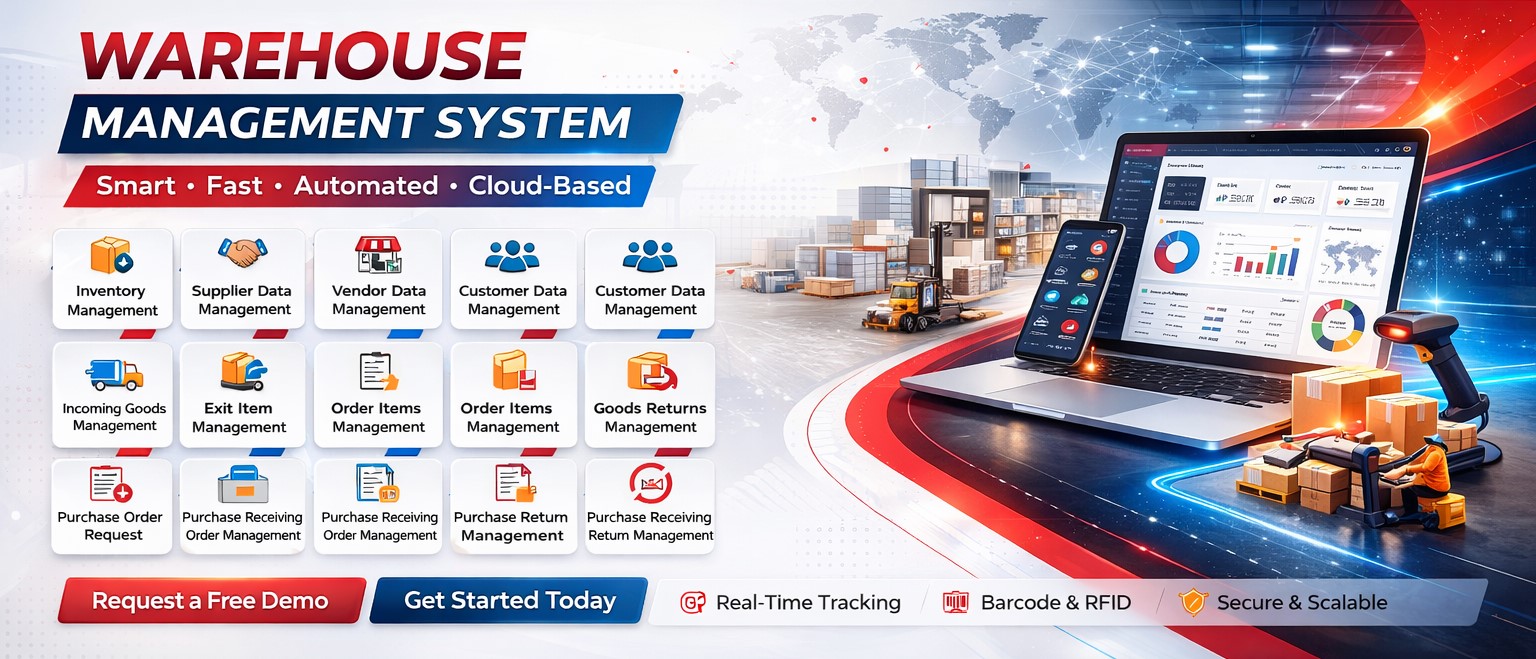
Smart Warehouse Management Software to Control Inventory, Stock, and Daily Operations
Managing warehouse operations requires accurate inventory records, organized stock movements, efficient order processing, and proper coordination between warehouse employees. However, relying on manual registers and disconnected spreadsheets can make warehouse management complicated and time-consuming.
PK Softwares offers an advanced Warehouse Management System in Pakistan, designed to help businesses manage inventory, monitor stock levels, record goods receiving, process stock dispatches, track warehouse movements, and maintain accurate inventory records.
Our warehouse management software provides a centralized platform for controlling warehouse activities and improving visibility across inventory operations.
Whether you operate a small storage facility, a wholesale distribution business, a manufacturing warehouse, or multiple warehouse locations, our customizable solution can help organize your inventory management processes.
Manage Your Warehouse. Control Your Inventory. Improve Your Business Efficiency.
Call-to-Action:
-
Request a Free Software Demo
-
Get a Customized Quote
-
Contact PK Softwares
Suggested hero image: A modern warehouse management dashboard showing stock levels, inventory movements, product categories, and warehouse performance indicators.
Understanding Warehouse Management Software
A Warehouse Management System (WMS) is a business software solution that helps organizations manage, monitor, and control warehouse activities through a centralized digital platform.
It supports important warehouse operations such as inventory receiving, stock storage, product tracking, stock transfers, order picking, dispatch management, inventory adjustments, and warehouse reporting.
Instead of maintaining separate stock registers or manually updating spreadsheets, businesses can record inventory transactions and monitor stock availability through an organized system.
For example, when new goods arrive at a warehouse, employees can record received quantities, supplier information, product details, purchase references, and storage information. Similarly, when products are dispatched, the system can update inventory records and maintain stock movement history.
Furthermore, businesses can monitor available quantities, identify low-stock products, track warehouse transactions, and review inventory reports.
PK Softwares provides customizable Warehouse Management Software in Pakistan to help businesses improve inventory accuracy, organize warehouse activities, and maintain better control over stock operations.
Powerful Features to Simplify Warehouse Operations
Our warehouse management solution provides practical tools for controlling inventory, organizing warehouse transactions, and monitoring daily stock activities.
4.1 Product and Inventory Management
Manage your complete product inventory through one centralized system.
The product management module helps businesses maintain organized product information and monitor available stock.
Key features:
-
Add and manage products.
-
Create product categories.
-
Manage product subcategories.
-
Define product codes and SKUs.
-
Manage product descriptions.
-
Configure product units.
-
Record product specifications.
-
Upload product images where supported.
-
Manage barcode information.
-
Monitor available quantities.
-
Maintain product status.
-
View product transaction history.
With centralized product records, warehouse employees can identify products and retrieve inventory information more efficiently.
4.2 Warehouse Management
Manage warehouse locations and organize inventory according to your business structure.
Businesses operating multiple storage facilities need clear visibility into where products are stored.
Key capabilities:
-
Create warehouse records.
-
Manage warehouse names and locations.
-
Maintain warehouse identification details.
-
Organize warehouse inventories.
-
Track stock by warehouse.
-
Manage warehouse-specific transactions.
-
View warehouse stock summaries.
-
Monitor warehouse activity.
This functionality helps businesses organize inventory across different storage locations.
4.3 Stock In Management – Goods Receiving
Record incoming inventory whenever products are received from suppliers or transferred into a warehouse.
The stock-in module helps maintain accurate records of received goods.
Key features:
-
Record incoming stock.
-
Select products and quantities.
-
Record supplier information.
-
Enter purchase references.
-
Record goods receiving dates.
-
Maintain product unit costs.
-
Record batch information where applicable.
-
Enter expiry dates for applicable products.
-
Maintain stock receiving history.
-
Generate stock-in reports.
For example, when a distributor receives products from a supplier, warehouse employees can record the received quantities and update inventory balances.
4.4 Stock Out Management – Goods Dispatch
Manage outgoing stock when products are sold, dispatched, issued, or transferred.
The stock-out module helps businesses maintain proper records of outgoing inventory.
Key features:
-
Record stock dispatches.
-
Select products and quantities.
-
Maintain customer or recipient information.
-
Record dispatch dates.
-
Add sales or delivery references.
-
Maintain stock-out history.
-
Monitor dispatched quantities.
-
Generate stock-out reports.
-
Update available stock automatically according to configured transaction rules.
This helps warehouse teams maintain better control over inventory leaving the storage facility.
4.5 Real-Time Inventory Tracking
Monitor inventory quantities and stock availability through organized inventory records.
Knowing how much stock is available is essential for making purchasing and sales decisions.
Inventory tracking features:
-
View current stock quantities.
-
Monitor stock received.
-
Track stock issued.
-
Calculate available inventory.
-
View product-wise stock balances.
-
Track stock by warehouse.
-
Review stock movement history.
-
Identify low-stock products.
-
Monitor inventory adjustments.
This helps businesses maintain better visibility into their warehouse inventory.
4.6 Stock Transfer and Movement Management
Transfer inventory between warehouses and maintain a clear history of stock movements.
Businesses with multiple warehouses frequently need to move goods from one storage location to another.
Key capabilities:
-
Create stock transfer records.
-
Select source warehouse.
-
Select destination warehouse.
-
Add products and quantities.
-
Record transfer dates.
-
Track transfer references.
-
Maintain movement history.
-
Monitor transferred inventory.
-
Review warehouse-wise stock changes.
This functionality helps organizations maintain organized stock movement records.
4.7 Supplier Management
Maintain organized supplier records and manage purchasing-related information.
Supplier management features:
-
Add supplier profiles.
-
Maintain supplier contact information.
-
Record supplier addresses.
-
Maintain supplier references.
-
View supplier transaction history.
-
Review supplier-related stock receipts.
-
Manage supplier information.
A centralized supplier database makes it easier to retrieve supplier details during inventory receiving and purchasing activities.
4.8 Customer and Order Management
Manage customer information and organize outgoing inventory transactions.
Key features:
-
Customer registration.
-
Customer contact records.
-
Customer-specific transactions.
-
Sales order references.
-
Product dispatch records.
-
Delivery information.
-
Customer transaction history.
-
Outstanding transaction tracking where integrated with accounts.
This helps businesses coordinate warehouse dispatch activities with customer requirements.
4.9 Inventory Adjustment Management
Maintain accurate stock records when physical inventory differs from recorded quantities.
Inventory adjustments may be necessary because of damaged products, missing stock, counting differences, or operational corrections.
Key features:
-
Record stock adjustments.
-
Increase inventory quantities.
-
Decrease inventory quantities.
-
Maintain adjustment reasons.
-
Record adjustment dates.
-
Maintain adjustment references.
-
Track adjustment history.
-
Review inventory differences.
-
Generate adjustment reports.
This helps warehouse managers maintain more accurate inventory records.
4.10 Batch and Expiry Date Management
Track inventory batches and expiry information for products that require batch-level monitoring.
This functionality is particularly useful for pharmaceutical distributors, food businesses, cosmetics suppliers, and other industries dealing with expiry-sensitive products.
Key features:
-
Record batch numbers.
-
Maintain receiving dates.
-
Track received quantities.
-
Monitor remaining quantities.
-
Record expiry dates.
-
Review batch-wise stock.
-
Identify near-expiry products.
-
Generate expiry-related reports.
Businesses can use these records to improve stock rotation and reduce the risk of selling or distributing expired inventory.
4.11 Barcode and Product Identification
Improve product identification and inventory handling through barcode-based functionality.
Possible features:
-
Product barcode registration.
-
Barcode-based product identification.
-
Barcode label generation.
-
Barcode scanning.
-
Faster product selection.
-
Inventory verification.
-
Barcode-supported stock receiving and dispatch.
Barcode hardware and integration requirements can be configured according to the selected implementation.
4.12 Purchase and Procurement Management
Organize purchasing activities and coordinate incoming inventory.
Purchasing capabilities may include:
-
Purchase order management.
-
Supplier selection.
-
Product purchasing records.
-
Purchase quantities.
-
Purchase pricing.
-
Goods receiving references.
-
Purchase history.
-
Supplier-related reporting.
This helps businesses connect procurement activities with warehouse inventory operations.
4.13 Warehouse Reporting and Analytics
Generate useful reports to monitor inventory and warehouse performance.
Available reports may include:
-
Current stock reports.
-
Product-wise inventory reports.
-
Warehouse-wise stock reports.
-
Stock-in reports.
-
Stock-out reports.
-
Stock movement reports.
-
Stock adjustment reports.
-
Supplier-wise stock reports.
-
Customer-wise dispatch reports.
-
Batch-wise inventory reports.
-
Expiry reports.
-
Low-stock reports.
-
Inventory valuation reports.
These reports help warehouse managers and business owners make informed operational decisions.
4.14 User Management and Access Permissions
Control access to warehouse information according to employee responsibilities.
Possible user roles include:
-
System Administrator.
-
Warehouse Manager.
-
Inventory Manager.
-
Storekeeper.
-
Purchase Officer.
-
Sales Officer.
-
Accounts Officer.
-
Management User.
Role-based permissions can help restrict sensitive information and ensure employees access only the functions authorized for their responsibilities.
Simplify Your Complete Warehouse Workflow
PK Softwares’ Warehouse Management System helps businesses organize inventory operations through a structured workflow.
-
Step 1: Set Up Your Warehouse
Create warehouse records, product categories, units, suppliers, and inventory settings.
-
Step 2: Register Products
Add product names, SKUs, descriptions, categories, units, and other required information.
-
Step 3: Receive Incoming Stock
Record goods received from suppliers, including quantities, purchase references, costs, and batch details where applicable.
-
Step 4: Store and Track Inventory
Maintain product-wise and warehouse-wise inventory records.
-
Step 5: Process Stock Out
Record outgoing inventory for sales, deliveries, internal usage, or other authorized transactions.
-
Step 6: Manage Stock Transfers and Adjustments
Record warehouse transfers, physical stock differences, and inventory corrections.
-
Step 7: Generate Inventory Reports
Review stock balances, incoming and outgoing quantities, inventory movements, and warehouse performance.
Why Should Businesses Use Warehouse Management Software?
Managing inventory manually can create difficulties when stock quantities, warehouse locations, and daily transactions increase.
A digital warehouse management system helps businesses organize inventory information and improve control over warehouse operations.
6.1 Improve Inventory Accuracy
Maintain organized stock records by recording incoming goods, outgoing inventory, transfers, and adjustments.
This helps reduce discrepancies between recorded inventory and physical stock when transactions are entered and verified correctly.
6.2 Reduce Manual Data Entry
Replace disconnected registers and spreadsheets with centralized inventory records.
As a result, employees can spend less time maintaining repetitive stock information.
6.3 Improve Stock Visibility
Monitor available inventory, received quantities, dispatched goods, and warehouse-wise stock balances.
This makes it easier for management to understand current inventory positions.
6.4 Prevent Stock Shortages
Monitor low-stock products and review inventory levels before they affect purchasing and order fulfillment.
Businesses can configure minimum stock levels and reorder alerts according to their requirements.
6.5 Improve Warehouse Productivity
Organize receiving, storage, stock transfers, picking, and dispatch activities through structured workflows.
This helps warehouse employees perform routine tasks more efficiently.
6.6 Maintain Better Stock Control
Record every authorized inventory movement and maintain transaction histories.
This improves accountability and makes it easier to investigate inventory differences.
6.7 Manage Multiple Warehouses
Maintain separate warehouse records and monitor stock quantities across different locations.
This is particularly useful for distributors and businesses operating multiple storage facilities.
6.8 Reduce Inventory Waste
Monitor damaged goods, slow-moving stock, and expiry-sensitive products through suitable inventory reports.
This helps businesses make better stock rotation and purchasing decisions.
6.9 Improve Purchasing Decisions
Use inventory reports and stock-level information to identify purchasing requirements.
Consequently, businesses can plan replenishment according to actual inventory conditions.
6.10 Make Better Business Decisions
Access organized stock reports, inventory movements, and warehouse performance information to support operational planning.
Warehouse Management Solutions for Different Industries
PK Softwares provides customizable warehouse management solutions for businesses with different inventory and storage requirements.
Wholesale Businesses
Manage large product inventories, supplier receipts, stock dispatches, and customer orders.
Distribution Companies
Organize warehouse stock, product movements, deliveries, and distribution operations.
Manufacturing Industries
Manage raw materials, production inventory, finished goods, and internal stock movements.
Pharmaceutical Distributors
Maintain batch records, expiry dates, medicine inventory, and stock dispatch information.
Retail Businesses
Monitor product availability, stock receiving, store inventory, and replenishment requirements.
E-commerce Businesses
Organize product storage, order picking, packing, dispatch, and inventory updates.
Construction Material Suppliers
Manage cement, steel, sanitary products, electrical supplies, and other construction inventory.
Electronics and Equipment Suppliers
Manage product codes, serial numbers where configured, inventory quantities, and stock movements.
Import and Export Companies
Maintain incoming shipments, warehouse receipts, inventory records, and outgoing dispatches.
Advanced Warehouse Management Software for Pakistani Businesses
Islamabad and Rawalpindi have a diverse business environment that includes wholesalers, distributors, retailers, manufacturers, pharmaceutical suppliers, and logistics businesses.
As businesses expand, maintaining accurate inventory records and coordinating warehouse operations becomes increasingly important.
PK Softwares offers Warehouse Management System in Islamabad, Pakistan, designed to help local businesses manage inventory, monitor stock movements, record incoming and outgoing goods, and organize warehouse operations.
Our software solutions can support different business models, including wholesale distribution, manufacturing, retail, pharmaceutical distribution, electronics, construction materials, and import-export operations.
Warehouse Management Software for Islamabad and Rawalpindi
Our target service areas include:
-
Blue Area, Islamabad.
-
F-6, Islamabad.
-
F-7, Islamabad.
-
F-8, Islamabad.
-
G-9, Islamabad.
-
G-10, Islamabad.
-
I-8, Islamabad.
-
I-9 Industrial Area, Islamabad.
-
Bahria Town, Rawalpindi.
-
Saddar, Rawalpindi.
-
Commercial Market, Rawalpindi.
-
Other surrounding commercial and industrial areas.
We also provide software solutions for businesses in Lahore, Karachi, Faisalabad, Peshawar, Multan, Sialkot, Gujranwala, and other cities across Pakistan.
Whether you operate a single warehouse or manage multiple storage locations, PK Softwares can discuss a suitable warehouse management solution for your business.
Warehouse Software Designed Around Your Business Requirements
Every business has different inventory handling procedures. A pharmaceutical distributor may need batch and expiry tracking, while a manufacturing company may require raw material and finished goods management.
Similarly, a wholesale business may prioritize supplier receipts, stock transfers, and customer dispatches.
PK Softwares offers customization options to align warehouse software with your operational requirements.
Possible customization options include:
-
Customized warehouse structures.
-
Multiple warehouse management.
-
Product categories and subcategories.
-
Product units and packaging.
-
Barcode and QR code functionality.
-
Batch and expiry management.
-
Stock-in and stock-out workflows.
-
Stock transfer management.
-
Inventory adjustment procedures.
-
Supplier and customer management.
-
Purchase and sales integration.
-
Warehouse-wise inventory reports.
-
Inventory valuation.
-
User roles and access permissions.
-
Customized dashboards.
-
Business-specific reports.
-
Integration with ERP and accounting software.
Our objective is to provide a practical warehouse management solution that supports your existing business processes and future growth.
Why Replace Manual Stock Registers with Warehouse Software?
Manual inventory management can become difficult when product varieties, warehouse locations, and daily transactions increase.
A centralized warehouse management system helps businesses maintain more organized inventory information.
| Business Activity | Manual Management | Warehouse Management System |
|---|---|---|
| Product records | Paper registers | Centralized database |
| Goods receiving | Manual entries | Digital stock-in |
| Goods dispatch | Manual registers | Digital stock-out |
| Stock availability | Manual calculations | Updated inventory balances |
| Stock transfers | Separate records | Movement tracking |
| Inventory adjustments | Manual corrections | Recorded adjustments |
| Supplier records | Separate files | Centralized supplier database |
| Expiry tracking | Manual checking | Batch and expiry records |
| Warehouse reports | Time-consuming | System-generated reports |
| Inventory history | Disconnected records | Transaction history |
The result: Better inventory visibility, organized warehouse transactions, and more efficient stock management.
Manage Warehouse Operations from Desktop, Tablet, and Mobile
Warehouse managers and business owners often need access to inventory information while working outside their offices.
A mobile-responsive warehouse management interface makes it easier for authorized users to access supported features through compatible smartphones, tablets, and desktop computers.
Depending on the implemented configuration, users can:
-
Check current inventory.
-
Review product information.
-
Monitor stock availability.
-
View incoming stock records.
-
Review stock dispatches.
-
Check warehouse transfers.
-
Access supplier information.
-
Review stock reports.
-
Monitor low-stock products.
The mobile-friendly interface helps make important inventory information more accessible to warehouse managers and authorized employees.
PK Softwares focuses on user-friendly warehouse software interfaces designed for convenient everyday business operations.
Note: Mobile browser access and dedicated Android or iOS applications are separate implementation options.
Affordable Warehouse Management Software with Flexible Pricing Plans
Finding suitable warehouse software should not require an unnecessary financial burden.
PK Softwares offers flexible pricing options according to business size, warehouse operations, inventory complexity, and customization requirements.
The software price may depend on:
-
Number of warehouses.
-
Number of users.
-
Product inventory volume.
-
Required software modules.
-
Barcode hardware and integration.
-
Batch and expiry tracking requirements.
-
Purchase and sales integration.
-
Accounting and ERP integration.
-
Customized reporting.
-
Hosting and deployment preferences.
-
Additional customization requirements.
Flexible Pricing for Every Business Size
Small Businesses: Essential product management, stock receiving, stock dispatch, and inventory reporting.
Medium-Sized Businesses: Advanced inventory tracking, supplier management, stock transfers, and warehouse reporting.
Enterprise Businesses: Customized workflows, multiple warehouses, advanced reporting, user permissions, and business system integrations.
Our Offer: Software Within Your Budget – Flexible Pricing Plans.
Contact PK Softwares to discuss your requirements and receive a customized quotation.
Your Reliable Warehouse Management Software Development Partner
Selecting the right warehouse management software provider is an important business decision.
PK Softwares focuses on developing practical business software solutions that help organizations organize their daily operations.
Business-Focused Software Development
We focus on understanding inventory processes and developing functionality that supports real warehouse requirements.
Customized Inventory Solutions
Configure products, warehouses, stock movements, and reporting according to your operational needs.
Flexible Pricing Plans
We offer pricing options for startups, small businesses, medium-sized companies, and enterprise-level organizations.
User-Friendly Interface
We prioritize organized navigation and practical workflows to make warehouse activities easier for employees.
Improved Inventory Control
Maintain centralized stock records and monitor important inventory transactions.
Scalable Business Solutions
Plan your software configuration according to your current warehouse requirements and future expansion.
Technical Support
Receive software-related assistance according to the agreed implementation and support package.
PK Softwares – Smart Software Solutions for Growing Businesses.
Connect Warehouse Operations with Your Business Management
Warehouse management is closely connected with purchasing, sales, accounting, inventory control, and distribution.
Integrating these activities can help organizations maintain more consistent business information.
PK Softwares can discuss integration and customization opportunities with other business software modules.
Potential integration areas include:
-
Enterprise Resource Planning (ERP).
-
Inventory Management Software.
-
Purchase Management System.
-
Sales Management System.
-
Accounting and Finance Software.
-
Supplier Management System.
-
Customer Relationship Management (CRM).
-
Distribution Management Software.
-
Retail and Point of Sale (POS).
-
Barcode and scanning systems.
For example, when an authorized sales transaction is completed, the integrated system can update warehouse inventory according to the configured stock deduction process.
Integration capabilities depend on the existing software architecture, available interfaces, and agreed project scope.
Frequently Asked Questions About Warehouse Management Software
1. What is a Warehouse Management System?
A Warehouse Management System (WMS) is software that helps businesses manage warehouse operations, including inventory receiving, stock storage, stock transfers, product dispatch, inventory tracking, and warehouse reporting.
2. Which is the best Warehouse Management System in Pakistan?
The best warehouse management system should support inventory tracking, stock-in and stock-out management, warehouse transfers, supplier records, stock adjustments, and reporting. PK Softwares offers customizable warehouse management solutions for businesses in Pakistan.
3. What are the main features of warehouse management software?
Common features include product management, warehouse management, stock receiving, stock dispatch, inventory tracking, supplier management, stock transfers, batch tracking, expiry management, and inventory reporting.
4. Can warehouse management software manage multiple warehouses?
Yes. Multi-warehouse functionality can help businesses maintain separate warehouse records, monitor location-wise inventory, and track stock transfers between storage facilities.
5. Can I manage stock-in and stock-out transactions?
Yes. Warehouse software can record incoming goods, outgoing products, received quantities, dispatched quantities, transaction references, and updated inventory balances.
6. Does warehouse management software support barcode scanning?
Barcode functionality can be implemented to identify products, support inventory verification, and simplify stock receiving and dispatch activities. Compatible scanning hardware may be required.
7. Can I manage product batches and expiry dates?
Yes. Batch and expiry management functionality can help businesses record batch numbers, receiving dates, remaining quantities, and expiry dates for applicable products.
8. Can the system generate inventory reports?
Yes. Warehouse management software can generate product-wise stock reports, warehouse-wise inventory reports, stock movement reports, stock-in reports, stock-out reports, and other inventory summaries.
9. Is warehouse management software suitable for small businesses?
Yes. Small businesses can use warehouse software to manage products, monitor inventory, record stock transactions, and maintain organized supplier information.
10. Can warehouse management software integrate with accounting software?
Yes. Accounting integration can be discussed to connect inventory transactions with financial records, subject to the available software architecture and integration requirements.
11. Does warehouse software support stock transfers?
Yes. Stock transfer functionality can record inventory movement between warehouses, including source locations, destination locations, products, quantities, and transaction references.
12. Can I customize warehouse management software according to my business?
Yes. PK Softwares can discuss customization of warehouse workflows, product categories, inventory reports, stock movement procedures, user permissions, and other business-specific requirements.
13. Is warehouse management software available in Islamabad and Rawalpindi?
Yes. PK Softwares offers warehouse management software solutions for businesses in Islamabad, Rawalpindi, and other cities across Pakistan.
14. How much does warehouse management software cost in Pakistan?
The cost depends on warehouse requirements, number of users, inventory complexity, required modules, customization, integrations, and deployment preferences. Contact PK Softwares for a customized quotation.
15. How can I get a demo of PK Softwares Warehouse Management System?
Contact PK Softwares to discuss your warehouse requirements and request a software demonstration. Our team can explain the available functionality and customization possibilities.
Transform Your Warehouse Operations with Smart Management Software
Are you still managing inventory through spreadsheets, manual stock registers, and disconnected warehouse records?
It’s time to introduce a more organized approach to inventory and warehouse management.
PK Softwares offers Warehouse Management System in Pakistan, designed to help businesses manage products, track stock movements, record incoming and outgoing goods, monitor inventory levels, and improve warehouse operations.
Whether you operate a small warehouse, a wholesale distribution business, a manufacturing facility, or multiple storage locations, our customizable software can help organize your inventory management processes.
Improve inventory visibility, simplify stock management, and make better business decisions with PK Softwares.
Take control of your warehouse operations today!
Let’s Build Your Smart Livestock System
Ready to modernize your farm operations in Islamabad and across Pakistan? Fill out the form below to schedule your free consultation and personalized live demo.
Our team at Nizi Solutions will design a secure, scalable, and cost-effective livestock management solution tailored to your farm’s needs — helping you improve efficiency, animal health tracking, and overall profitability.
👉 Book Your Free Demo Today and Take the First Step Toward Smarter Farm Management.